Are you trying to flip your classroom?
Read about my flipped classroom experience in the following research paper!
If you teach in Israel, here are some ready to use videos to help you started.

Saturday, May 30, 2015

Wednesday, May 6, 2015
Writing a letter, Getting it later
Ever wanted to write yourself something and open it in the future?
Now you can!
All you have to do is go to Futureme, type your email address, the date you want to letter to arrive and the letter itself. You can also add pictures.
Futureme is not only for sending a letter to yourself! What if you don't want to forget birthdays or other special occasions - use futureme to do the job for you.
In class - ask the students to write a letter to themselves at the beginning of the year. They can write about they hopes, thoughts, what they would like to achieve and more...

Now you can!
All you have to do is go to Futureme, type your email address, the date you want to letter to arrive and the letter itself. You can also add pictures.
Futureme is not only for sending a letter to yourself! What if you don't want to forget birthdays or other special occasions - use futureme to do the job for you.
In class - ask the students to write a letter to themselves at the beginning of the year. They can write about they hopes, thoughts, what they would like to achieve and more...
Thursday, September 5, 2013
Let's know each other.....
What is your name and where are you from?
Share information using AnswerGarden...

Saturday, August 24, 2013
Embed posts from Facebook into your blog or site
Did you know you can now embed posts from Facebook right into your blog or site. Looking for an idea for a writing task?
Post by Englishatbarlev.
Friday, August 23, 2013
Tricider

Tricider is a great social voting tool!!! It lets you ask questions during class time and students answer from their smartphones, tablets, laptops, comuters....
You can discuss things, vote, collect ideas and more.
Try it out....
You can use Tricider not only with students. Use Tricider in your teachers meeting to make the meeting more interesting and engaging.
I am planning on using Tricider this year in every end of lesson, so students can share their feelings and thoughts about the lesson. What they've learnt, how they feel, notes and more.
It will be another way to get their feedbacks and change my lesson plans accordingly.
It will be another way to get their feedbacks and change my lesson plans accordingly.
Tuesday, August 20, 2013
Enhance your pupil's reading by using a fun game - Bluster!
Hello all,
Finally I get to sit and
write a bit on my 'well forgotten' blog. I am so sorry for not writing lately
(about 6 months, but who counts?!) although I had wanted and planned to do so
often I just couldn't find the right time.
Anyhow I am here now and
writing.
As you can tell (or not) I have changed the font on the blog, as some of you didn't like the 'old' one or said it was hard to read. Hopefully this one is better (?).
As you can tell (or not) I have changed the font on the blog, as some of you didn't like the 'old' one or said it was hard to read. Hopefully this one is better (?).
I have recently
downloaded an app called bluster! on
my ipad and would like to recommend it to all of you out there. It is a completely
free app with a lot of value to the progress of reading especially to our
esl/efl students.
Okay so the pupil opens
Bluster!

There are 3 empty rectangles and a list of 18-24 words.
The pupil is required to read the words and to choose 3 rhyming words and to drag them into the rectangles.

2 more great features are:
1) Playing in a team mode, meaning a team plays against another team . The teams share the same 3 rectangles.
2) Playing in a versus mode, meaning playing as individuals or as a group against another individual or group. The difference is that there are 6 rectangles (3 for each group) and the game is timed.
1) Playing in a team mode, meaning a team plays against another team . The teams share the same 3 rectangles.
2) Playing in a versus mode, meaning playing as individuals or as a group against another individual or group. The difference is that there are 6 rectangles (3 for each group) and the game is timed.

So give Bluster! a
chance and please let me know what you think of it, what your pupils think of
it and how you integrate the game in class.
Till next time (hopefully
it won't take 6 months)
Saturday, December 15, 2012
GoogleDocs+QR Codes+Fakebook
This is a great lesson plan that involoves 3 different web 2.0 tools to use in your classroom. It can be adapted to many subjects and pupils really love to work and cooperate with their peer friends.
Art for You and Me
The class is divided into 6 groups. Each team gets a card with instructions. On the card there is a qr code they need to scan. After they scan the qr code they know which artist they explore (learn about).
Then they open our sharable GoogleDocs, and write the names of the group members on top (next to the group's number).
The instuctions on the card:
Then they open our sharable GoogleDocs, and write the names of the group members on top (next to the group's number).
The instuctions on the card:
 Search the internet for the following details:
 - Full name
- Place of birth
- Date of birth
- job
- Famous piece of art (song, picture)
- What is special about that piece of art?
- What is it about?
- Add pictures to your summary.
- Add YouTube videos to your summary.
Summarize everything into a short paragraph. Use the information you collected to create a Fakebook profile to your artist. (Include: pictures as links, YouTube videos, posts, comments, friends etc). Make sure to include all the information from your summary into the profile.You should include the URL (link) of your Fakebook profile along with the password to our GoogleDocs.Make a short multiple choice quiz using Google Forms about your artist (5 questions) for the other groups to answer. Add a link to the quiz.Choose a Fakebook profile to comment on (use your real name!) Make a comment on posts, videos, pictures etc.Every pupil must write a comment. Make sure your comment is nice and to the point. Do not offend anyone by any way.
In our Google Doc, open the comment bar and write a feedback about the lesson. Each team answers the questionnaire (made by the other groups) as follow:
group # 1 answers group # 2 questions.
group # 2 answers group # 3 questions.
group # 3 answers group # 1 questions.
group # 1a answers group # 2a questions.
group # 2a answers group # 3a questions.
group # 3a answers group # 1a questions.
Monday, November 12, 2012
AnswerGarden
AnswerGarden is a great tool, that lets you create a poll, guestbook, brainstorming activity and more...
Try it! It is so easy - you will be surprised :)
What do you think of my blog?... at AnswerGarden.ch.
What do you think of my blog?... at AnswerGarden.ch.
Sunday, November 11, 2012
My English Classroom
My English Class-Room Slideshow: Roneet’s trip to Petah Tikva (near Petah Tiqwa) was created with TripAdvisor TripWow!
Saturday, November 10, 2012
ShowMe

ShowMe
is a wonderful white board ipad application. You can learn/teach/find thousands
of excellent lessons and your pupils will just LOVE it.
ShowMe
records what you say and while recording you can use the board to draw/write/sketch
etc. After you're done, you may save it as a video file and embed it to your
site/forum, share it online with other people and more.
Here
is an example of ShowMe, where I asked one of my pupils to use it for her
book-report.
There
are endless ideas to use ShowMe and the HUGE advantage is this tool is totally
FREE!!
Wednesday, October 31, 2012
Some Updates and Thoughts
2
weeks have passed so quickly. It is amazing how time flies by…
I
haven’t had a
chance to stop and write, as I had to:
1)
Plan the web 2.0, I wanted
to teach my teachers (that was Glogster, my LOVE)
2)
Read articles (lots of
them) for the course: Qualitative Research Methods
3)
Think of a computer based
unit for the course: Social Network in
Education
4)
Finish the interactive
lesson for my 6th graders (print out the codes, laminate the cards
etc)
5)
Completing 4 charts for the
inspectorate's visit at school
6)
Stat planning my husband's
surprise party (he doesn't read the blog – so do not worry!)
7)
Marking tests and dictations
(I teach 6 classes)
8)
Looking for time to spend
with my daughter and husband
So,
as you can read it ain't easy going back to school, work full time, give
courses once a week after school, being a mother and a wife etc…..
Anyhow
--- enough about my problems…
(sorry but it is easier writing everything down for you to read instead of
going to the shrink – no time and no money for that J
I'm
taking a course at college which I found out is an online course (asynchronous)
and not a frontal lesson. The goal is to set up a group of students and to
think about an ICT (information and communication technologies) learning unit based
on one of the social networks out there. We have to write our thoughts and
progress during the process in a blog, the lecturer opened for us (which is 60%
of the final grade), commenting on other students' blogs (10%) and the final
part should be working on the unit - (practice and review) by our students at school or by our colleagues (30%).
We
have chosen Facebook, of course, but it is hard to come up with a subject as we
(the member in my group – total of 3 teachers) teach different subjects to
different age groups. Any way we agreed on (my suggestion!!) planning the unit
based on the timeline the Facebook has to offer. Now if I think of that, it
will best suit to teach History, as the pupils can enter many data, pictures,
videos, presentations and more on a specific topic, on the specific date and
year! As the Facebook gives you the
ability to choose the date for entering any information, thus if I decide to
teach about the Great Fire of London, I will post all the information in the
year 1666 and I (as a pupil) can choose the day as well.
But
I am sure I can find more useful things to it such as (just come up to my mind)
if I ask my pupils to create a page on Facebook and specify special or/and important
events in their lives, such as birth, parties, first kiss, first
boyfriend/girlfriend etc… (I am sure they have other
events they consider to be meaningful)… There is
still a lot to think aboutJ
Let's
move on…. Another
course offers the Second Life environment. Now that is a tool I just don't
get!! I HATE it! I don't see the point in it (I can see it, I just don't like
what I see!) and I can't seem to understand the implantation of it in my esl
classes. It is basically a virtual world parallel to ours and you can travel to
other countries, places, meet new friends/old friends, chat, talk and maybe
learn a bit. The problems that I see are:
1)
Teaching this environment
will take ages. Especially to kids in elementary (which is significant for my
work)!
2)
Pupils can easily "forget"
it is meant to be a learning tool.
3)
Teachers should LOVE the
tool they teach with.
4)
To make a video, you need
to teach a different tool which takes more time
5)
Don't Worry!! I will think
of more reasons why I don't like that tool (game)
Well,
okay – I have got to finish… I still have to take a
shower and finish some other things (like paying the utility bills) and be at
the college at 13:00 (it is 9 am)
Oh, another thing… I will love to hear what you think about Second Life.. (if you know it of course)

Saturday, October 20, 2012
Postcards to Brazil
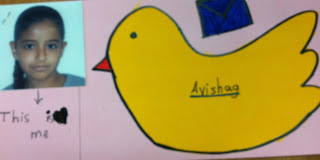
This year my 5th graders send postcards to peers in Brasil. They write about themselves and one of the holidays.
Read part of the letter I send to the teacher in Brazil:
The postcards we sent contain Jewish holidays images such as apples and honey, a dove (a symbol for freedom), Hamsa (the hand – people believe that it saves you from the 'evil eye') and more. Some of the cards have Hebrew words on them such as שנה טובה - happy new year.
Yom Kippur – we fast for 24 hours (no water or food) so people will forgive our sins. On Yum Kippur it is not allowed for cars to be on the road so all the kids ride their bicycles, skates etc on the road with no fear. We can walk instead of on the curve on the road and no car is driving by.
Succot – this holiday symbols the hard way our ancestors had to go through on their way to Israel. (They walked by foot from Egypt) In this holiday we build a Succah (it's like a tent – see the picture below) and we sit in it for 7 days (we eat there, sleep, play and more…) the Succah is built in the garden, yard or in a balcony at home. The kids have a great time making decoration and they enjoy sleeping there together.
Simchat Torah – this holiday is celebrated when the religious people finish reading the whole bible (they read the bible throughout the year in the synagogue – which is like a church only for Jewish people) Once they finish the reading and they have to start all over again (it always happens at the same time of the year) we celebrate the beginning of the reading.




Here are some photos to help you better understand what a Succa is:


 decorating

 play time


dinner time
 Hope you learn a bit about the Jewish holidays and traditions..
Read part of the letter I send to the teacher in Brazil:
The postcards we sent contain Jewish holidays images such as apples and honey, a dove (a symbol for freedom), Hamsa (the hand – people believe that it saves you from the 'evil eye') and more. Some of the cards have Hebrew words on them such as שנה טובה - happy new year.
In
our postcards we wrote about one of the 4 first holidays we have.
Rosh Hashana
- the Jewish New YearYom Kippur – we fast for 24 hours (no water or food) so people will forgive our sins. On Yum Kippur it is not allowed for cars to be on the road so all the kids ride their bicycles, skates etc on the road with no fear. We can walk instead of on the curve on the road and no car is driving by.
Succot – this holiday symbols the hard way our ancestors had to go through on their way to Israel. (They walked by foot from Egypt) In this holiday we build a Succah (it's like a tent – see the picture below) and we sit in it for 7 days (we eat there, sleep, play and more…) the Succah is built in the garden, yard or in a balcony at home. The kids have a great time making decoration and they enjoy sleeping there together.
Simchat Torah – this holiday is celebrated when the religious people finish reading the whole bible (they read the bible throughout the year in the synagogue – which is like a church only for Jewish people) Once they finish the reading and they have to start all over again (it always happens at the same time of the year) we celebrate the beginning of the reading.
All
those 4 holidays are celebrated at the same month one after the other, so we
have 2.5 weeks off school, usually at the end of September – middle October.
The
kids also wrote about themselves and some of them added pictures and decorated
the cards. Most of the boys didn't decorate so nicely but I am sending you all
the cards.



This is while building it


dinner time
 Hope you learn a bit about the Jewish holidays and traditions..
Wednesday, October 3, 2012
Glogster
It is almost "end of the holidays" here in Israel. After a month and a half where there was a holiday nearly every day - food, traveling, meeting friends, writing blog posts, reading blog posts, spending quality time with family and more,,, This camp is about to end!
It is time to go back to what I really long for and it is called: "ROUTINE".
This is the time for me to think about new ideas and interesting tools to teach the teachers at my computer course (I like the sound of it... teach the teacher :).
So, while I search the interenet, search all the web 2.0 websites, blogs, books - reading articles and tiring myself and my brain... I suddenly remembered GLOGSTER. My old friend from long ago... We met during one of my interent traveling and fell in love!
Meet Glogster!

I am not talking about Glogter Edu (education), but the regular Glogster. The one opened for everyone.
Use Glogster for a variety of things:
* Creative Writing:
- talk about your vacation (see my example)
- talk about yourself
- talk about your favorite movie/ book/ friend etc
- Write a book report
- talk about your pet/ parents/ family
- talk about your school
- Write bibliography
* Photo Album...
- Make a photo poster
- Make your own poster
* Posters
- Make the abc poster
- Make a school poster
- Make a poster about your class trip
- Make a poem poster
and more and more....
There are endless ideas, but what I like the most about it, is that every kid - brings his own creativity to the work.
You can even open a class Glog. Why not make a Glog during the lesson? If you have a white board or even only an over head projector everyone can share their own ideas on the Glog.
You will have a class poster to hang on your classroom wall/ gift it in the end of the year/ parents day etc....
Glogster is also so easy to use! Open one, save it and share it to any social network, your blog, your site, print it out and also share it with people you don't know - get likes and comments.
So what do you think of Glogster?
Sunday, September 30, 2012
Using DrawSomething in the ESL Classroom
Here we meet again.....
 Basically with this lesson plan you
will need smart phones, ipad or ipod touch. Make sure DrawSomething is
downloaded in them!
Basically with this lesson plan you
will need smart phones, ipad or ipod touch. Make sure DrawSomething is
downloaded in them!


Thanks for stopping by :)
I have this idea in mind for a long
time now. I have tried it last year, but couple of parents ruined the chances for
the lesson to succeed and didn't allow the kids to use their phones...WHATEVER!!
Anyhow... I am determined to try it
again this year.
Here it goes.....

I think every 3 pupils can use one
device and work in groups, so if you have a class of 35 you need 12 devices. I
asked the kids to bring their own mobile so if everyone has a phone there's no
need to work in pairs... whatever... enough with that.... you can work that out
:)
The instructions I gave my pupils were:
Open the DrawSomthing app. Choose a
friend from your 'friend list' (it can be either by entering his/her useer-name
or via Facebook)
You will get 3 words to choose from.
You are not allowed to choose names! Only words with meanings.
Choose a word you can draw. If you get
3 words you don't know - use a dictionary to help you with the translation.
Draw the word you chose and sent it.
Wait until you get a drawing from a friend and try to guess what it is.
The Assignment:
In your notebook, make a list of at
least 4 words you guessed right.
Write a sentence using each word.
Open a Paint file on your computer.
Choose one sentence from the 4 you wrote and draw it in Paint.
Write the sentence you draw in the
bottom of the page. Make sure the word you used (from DrawSomthing) is
highlighted.
Save your drawing as a picture and upload it to our class
forum. Don't forget to write your name.
Everyone should present their picture and sentence.
Click to download
Thursday, September 27, 2012
How to use qr codes in your esl lesson?! Here is an idea.
QR Code Hunting
Are you looking for an innovative lesson? One that is fun and exciting?
QR codes
are awesome!!!
I have got an idea for a lesson plan the kids will love!!!
Read about how to implement QR codes in YOUR esl classrooms:
This is a unique, fun and interactive lesson that includes group work, using a dictionary, reading and more.
It was planned to summarize the unit about London.
The class should be divided into groups.
Each group has a smart phone with a qr code scanner downloaded in it (such as i-nigma, qr scanner or qr reader for iphone).
The first note is given by the English teacher and it has a pictures of the following qr code:

The group has to scan the qr code, read the instructions, think about the answer, go to the person mentioned in the text and tell him/her the answer. If their answer is correct - they get a second note with a qr code.
This is the note they get for the first code:
| It is 1666. There is a tragedy in London. What is it? If you know the answer, go to the school's secretary for your second question. |
|---|
The answer is:
| THE GREAT FIRE OF LONDON |
|---|
This is the second one for that particular lesson:

This is the note they get for the second code:
| It's in the kitchen. You use it to clean and wash the dishes. What is it? Go to the school's guard to get your third question. |
|---|
The answer is:
| A SINK |
|---|
The third qr code is:

This is the note they get for the third code:
Translate the following sentence to English:
.ישנם מלפפונים בין העגבניות לחמאה
Go to the school's principle to get your fourth question.
|
|---|
The answer is:
| THERE ARE SOME CUCUMBERS BETWEEN THE TOMATOES AND THE BUTTER. |
|---|
The fourth qr code is:

This is the note they get for the fourth code:
It's yellow. It's in London.
It can be a boat.
It can be a bus.
What is it? Go to the school's counselor for your fifth question.
|
|---|
The answer is:
| THE YELLOW DUCK TOUR |
|---|
The fifth qr code is:

This is the note they get for the fifth code:
Terrible and scary things happened there
Many years ago it was a prison.
What is it? Go to the school's janitor for your sixth question..
|
|---|
The answer is:
| THE TOWER OF LONDON |
|---|
The sixth qr code is:

This is the note they get for the sixth code:
It's big. It's a house. It is 300 years old. You can see "The Changing of the Guards" ceremony there.
Where is it? Go to the person who teaches computers at school to get your seventh question.
|
|---|
The answer is:
| BUCKINGHAM PALACE |
|---|
The seventh qr code is:

scary, interesting, special, terrible, quick, diffeent and exciting are all .........
Go to your English teacher if you iknow the answer..
|
|---|
The answer is:
| ADJECTIVES |
|---|
The first group to get to me gets candies or some kind of a treat.
Subscribe to:
Posts (Atom)